
Why hardware wallets matter for Hyperliquid
Hyperliquid operates as a high-performance decentralized exchange, meaning your trading activity happens directly on-chain. Unlike centralized platforms where an intermediary holds your assets, Hyperliquid requires you to manage your own private keys. This structure eliminates counterparty risk but places the entire burden of security on you. If your private key is exposed or your device is compromised, your capital is gone. There is no customer support team to reverse a transaction or recover a stolen wallet.
The stakes are particularly high for traders using Hyperliquid trading strategies 2026, which often involve leverage and frequent transactions. Perpetual futures allow for amplified positions, but they also amplify the consequences of a security breach. A single phishing attack or malware infection on a hot wallet connected to your browser can drain your account instantly. Hardware wallets solve this by keeping your private keys offline, isolated from internet-connected devices. They sign transactions locally, ensuring that even if your computer is infected, the attacker cannot move your funds without physical access to the device.
Hyperliquid is an on-chain DEX. Private keys control your funds. Losing access means losing capital. Hardware wallets keep keys offline.
Choosing the right hardware wallet is not just about storage; it is about enabling safe participation in the DeFi ecosystem. You need a device that supports the specific token standards and smart contract interactions required by Hyperliquid. Relying on software wallets or exchange-held funds for active trading introduces unnecessary vulnerability. For serious traders, cold storage is the only way to protect your principal while you execute complex strategies.
Top hardware wallets for HYPE and EVM chains
Hyperliquid trading strategies 2026 demand a security posture that matches the speed and leverage available on the chain. Because Hyperliquid operates as a high-performance EVM-compatible environment, your hardware wallet must support both the specific HyperEVM architecture and standard Ethereum Virtual Machine contracts. This dual requirement ensures you can manage spot positions, perpetuals, and bridged assets without exposing private keys to online threats.
The following comparison outlines the leading hardware wallets currently capable of supporting these operations. We evaluate them based on native HyperEVM support, general EVM compatibility, and connectivity protocols that facilitate secure trading sessions.
| Wallet | HyperEVM Support | General EVM | Connectivity |
|---|---|---|---|
| Ledger | Via Hyperliquid App (Beta) | Native (Ethereum, Solana, etc.) | USB-C, Bluetooth |
| Trezor | Via Third-Party Bridge (e.g., Rabby) | Native (Ethereum, Polygon, etc.) | USB-C |
| SafePal | Native Support | Native | USB-C, NFC, QR Code |
| Keystone | Via Third-Party Bridge | Native | Air-gapped (QR Code) |
Ledger remains the industry standard for broad asset coverage, offering native support for Ethereum and many other EVM chains. For Hyperliquid specifically, Ledger users typically rely on the official Hyperliquid desktop app or browser extension, which integrates with Ledger Live to sign transactions securely. This setup is robust for most traders who prioritize a wide range of supported tokens alongside their Hyperliquid positions.
Trezor users often interact with Hyperliquid through third-party interfaces like Rabby Wallet or MetaMask, which can be configured to route transactions through Trezor devices. While this method is secure, it adds a layer of complexity to the workflow. Trezor’s strength lies in its open-source firmware and transparent development process, appealing to users who prioritize code verifiability over native app integration.
SafePal stands out for its native HyperEVM support, allowing users to manage HYPE and other Hyperliquid assets directly through the SafePal app without relying on external bridges or extensions. This streamlined approach reduces the friction of connecting wallets and signing transactions, making it a strong candidate for active traders who value efficiency. SafePal also supports NFC and QR code connectivity, offering flexibility for mobile-first trading strategies.
Keystone focuses on air-gapped security, using QR codes to communicate with smartphones or computers. This method eliminates physical connection points that could potentially be compromised. While Keystone does not have native HyperEVM support, it can be used with compatible wallets that bridge to Hyperliquid. This option is ideal for high-stakes traders who prioritize maximum security over convenience.
When selecting a hardware wallet for Hyperliquid trading, consider your specific workflow. If you trade frequently and want a seamless experience, SafePal’s native support may be the most efficient choice. For traders who already use Ledger or Trezor for other assets, the existing ecosystem integration might outweigh the lack of native HyperEVM features. Regardless of your choice, always verify the wallet’s firmware and app versions to ensure compatibility with the latest Hyperliquid protocol updates.



As an Amazon Associate, we may earn from qualifying purchases.
Connect your hardware wallet to the Hyperliquid interface
Hyperliquid trading strategies 2026 rely on speed and security, but the platform’s non-custodial model means you handle the keys yourself. Connecting a hardware wallet like Ledger or Trezor requires a specific workflow to ensure your private keys never touch your computer’s memory. This process bridges your cold storage with the Hyperliquid dApp, allowing you to sign transactions directly from the device.
The connection is not automatic. You must explicitly authorize the interface to request signatures for swaps, limit orders, and leverage adjustments. Follow these steps to establish a secure link between your hardware wallet and the Hyperliquid trading interface.
Begin by installing the official wallet extension for your specific hardware device. If you use a Ledger, install the Ledger Live browser extension. If you use a Trezor, install the Trezor Bridge and the corresponding Trezor Connect extension. These tools act as the secure bridge between the Hyperliquid web interface and your physical device. Ensure your device firmware is updated to the latest version before proceeding to avoid connection timeouts.

Visit the official Hyperliquid website and locate the wallet connection button, typically found in the top-right corner of the interface. Click the button to open the wallet selection modal. Do not connect via a generic "Connect Wallet" prompt that appears on random third-party sites. Only use the primary interface to prevent phishing attacks. If the modal does not appear, check your browser’s extension settings to ensure the dApp is whitelisted.

In the connection modal, select your hardware wallet provider (e.g., Ledger, Trezor, or Keystone). The interface will display a list of supported accounts derived from your device. If you do not see your provider, ensure the corresponding extension is active and unlocked. The Hyperliquid interface communicates with your extension, which then communicates with the physical device. This layered approach ensures your seed phrase remains offline.

Your hardware wallet screen will prompt you to confirm the connection. Verify the account address displayed on the device matches the one in the Hyperliquid interface. This step is critical; never approve a connection if the address does not match your known wallet. Once confirmed, the device sends a signed message to Hyperliquid, establishing the session. This signature proves you own the private key without exposing it.
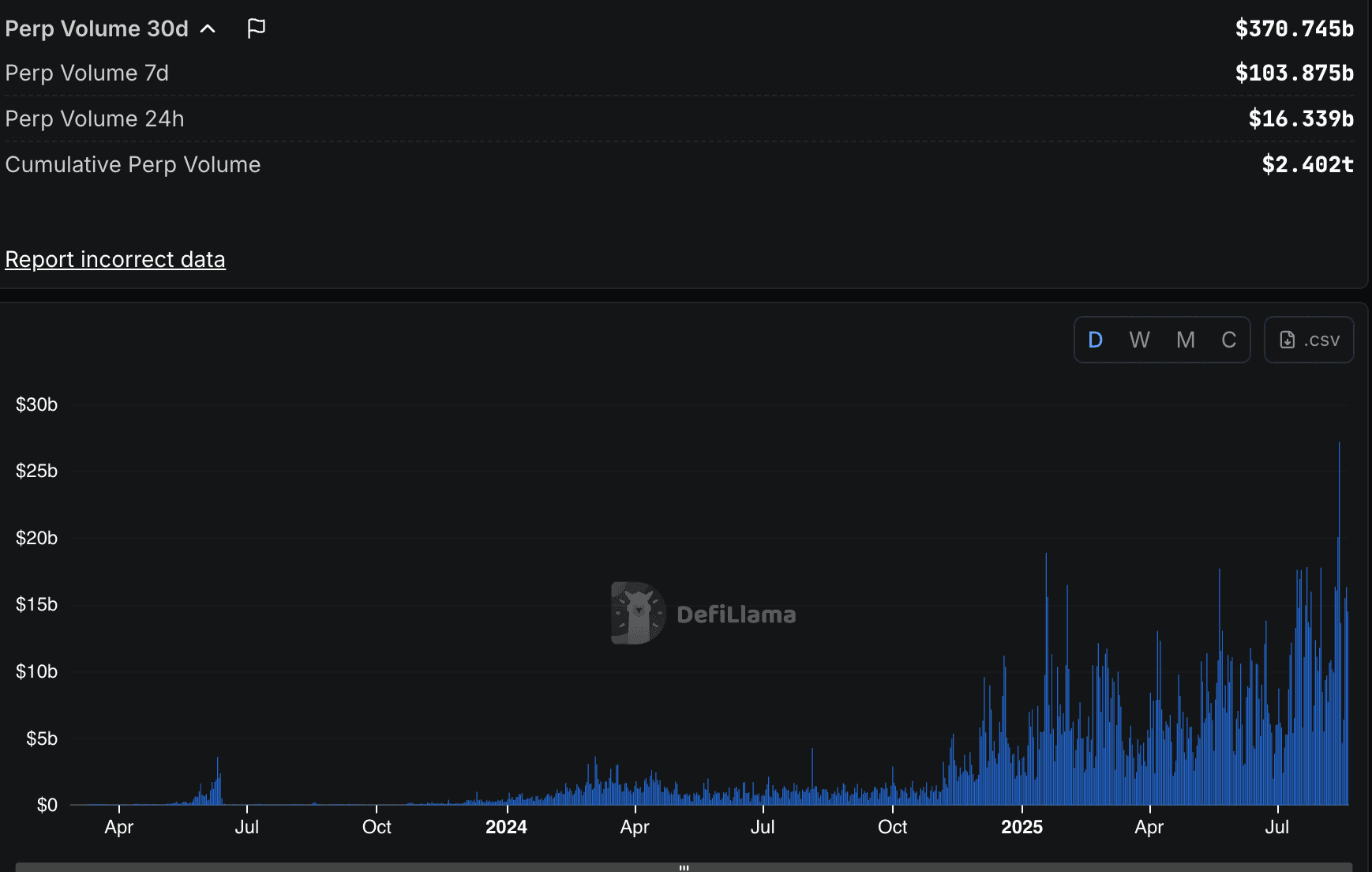
After connecting, your USDC balance should appear in the interface. To verify the link is fully functional, place a small test trade or sign a message. The hardware wallet will prompt you to sign the transaction details. Review the gas fees (if any) and the asset amount on the device screen before confirming. This final check ensures that your trading strategies 2026 are executed with the precision and security your hardware wallet provides.
Common mistakes when trading on-chain
Even with a hardware wallet securing your keys, on-chain trading introduces risks that traditional exchanges manage behind the scenes. The most frequent error in Hyperliquid trading strategies 2026 is ignoring the difference between approval and execution. Users often approve a contract to spend their USDC without realizing that a failed transaction can still leave a lingering allowance or incur unnecessary gas fees if the network is congested.
Another critical pitfall is underestimating slippage during high volatility. Unlike centralized order books, on-chain perpetuals rely on liquidity pools that can shift rapidly. Setting static limits without checking real-time depth often results in partial fills or immediate liquidation. Always use limit orders with tight slippage tolerance during volatile periods to protect your position size.
Finally, many traders fail to verify the contract address before interacting. Scammers frequently create fake interfaces that mimic legitimate trading platforms. Always double-check the official Hyperliquid URL and ensure your hardware wallet displays the correct destination address before signing any transaction. A single wrong signature can drain your wallet permanently, regardless of how secure your device is.
Frequently asked questions about wallet security
Can I use any hardware wallet for Hyperliquid?
Not every device works seamlessly. Ledger and Trezor devices require specific integration layers to interact with Hyperliquid’s non-custodial architecture. While MetaMask remains the primary interface, your hardware wallet acts as the cold storage vault. Ensure your device’s firmware is updated to support the latest Ethereum RPC standards, as Hyperliquid relies on sub-second execution where latency or compatibility errors can result in missed entries or failed exits.
Are hardware wallets safe from Hyperliquid exchange hacks?
Yes, but with a caveat. Hardware wallets store your private keys offline, meaning they are immune to online exchange breaches or smart contract exploits targeting the Hyperliquid platform. However, your funds are still exposed to phishing attacks targeting your browser extension or malicious dApp approvals. Always verify the contract address for any token approvals before signing transactions from your hardware device.
What is the best trading strategy in 2026?
The most reliable approaches in 2026 include trend following, swing trading major pairs, and breakout trading. Scalping remains popular for active traders, but it requires strict risk management. Position trading on macro themes and range trading with mean reversion also show high success rates when confirmed by volume and indicators like RSI. Regardless of the strategy, security begins with how you manage your keys.
What are the common security risks for Hyperliquid traders?
The primary risks are phishing sites mimicking the Hyperliquid interface and malicious smart contract approvals. Traders often overlook the dangers of connecting their hardware wallet to unverified dApps. Always bookmark the official Hyperliquid URL and double-check the contract addresses for any token swaps or leverage positions. Using a hardware wallet mitigates key theft but does not prevent you from accidentally signing a malicious transaction.
No comments yet. Be the first to share your thoughts!